History
Description
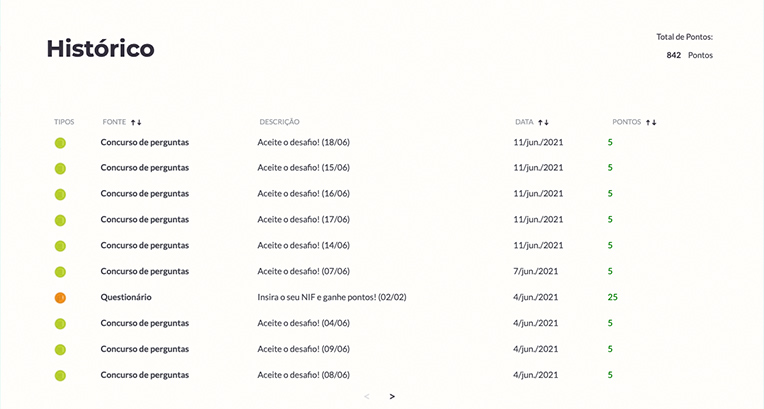
The History Section is a component for displaying user points activity.
History types:
- Single History Component: A Section that displays user points activity as a main Section.
Single History Component
Configuration
Create a new Section in the content builder, and choose two column layout with 9/3 destribuition.
Add a HTML Markup Widget inside the section with the following code:
<input
       name="open-section"
       data-section="history"
       data-name="history"
       value="history"
/>
Add a Rich Content Editor inside the first column for Section headline
The headline must be a Heading 2, and the subheadline must use the predifined format.
Add A Recent Content Widget inside the second column and insert the points label using the predefined format.
In the same column add a DTE My Points and Status Summary Widget, select the Show Award Points Label checkbox and insert the required fields.
Usage
After including the HTML Markup Widget to inform that the specific element is a Title + Description Widget, various css classes can be added to value in order to costumize it.
The background color of this section is soft-white by default.
Font color:
font-slate
font-deep-blue
font-blue
font-deep-red
font-red
font-amber
font-yellow